Windows 10 and 11 · 64-bit

Fertilizer Shop Billing Software for Windows PC

Run the counter on the shop computer: a big screen, keyboard billing, receipt and A4 printers. It is the same Krishi Shop Khata as the Android app: the owner and staff sign in with Gmail, and every bill, payment and stock change is the same on the PC and on every phone.

Free download · works with the shop's online plan (₹349/month or ₹2,999/year through Google Play, GST included, first 14 days free)

Coming soon: the Windows app is in Microsoft Store review. Meanwhile, start with the Android app; your khata comes to the PC when you sign in with the same Gmail on the online plan.
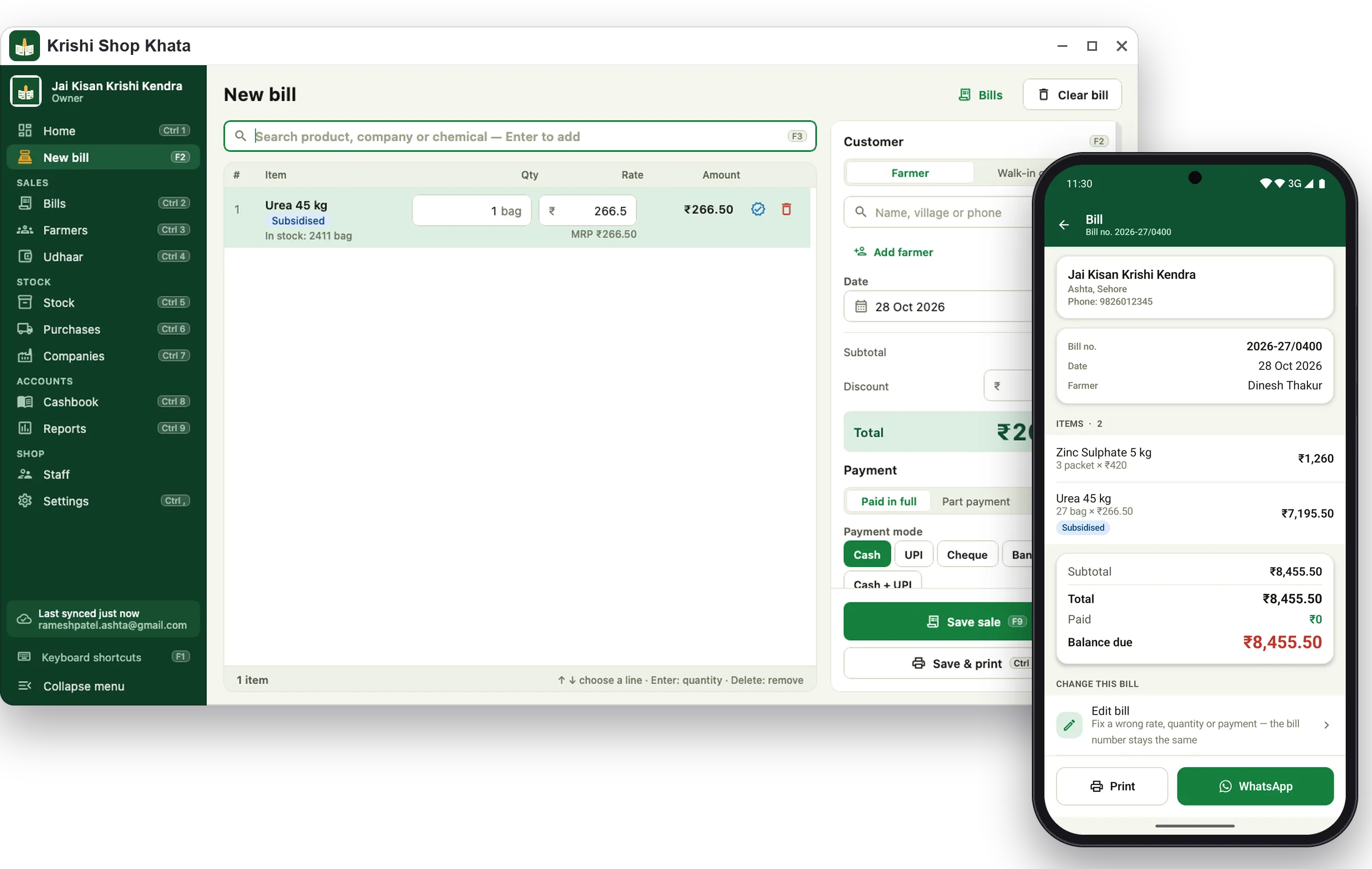
Krishi Shop Khata for Windows: new bill screen with the Android app beside it
Counter speed

Bills from the keyboard

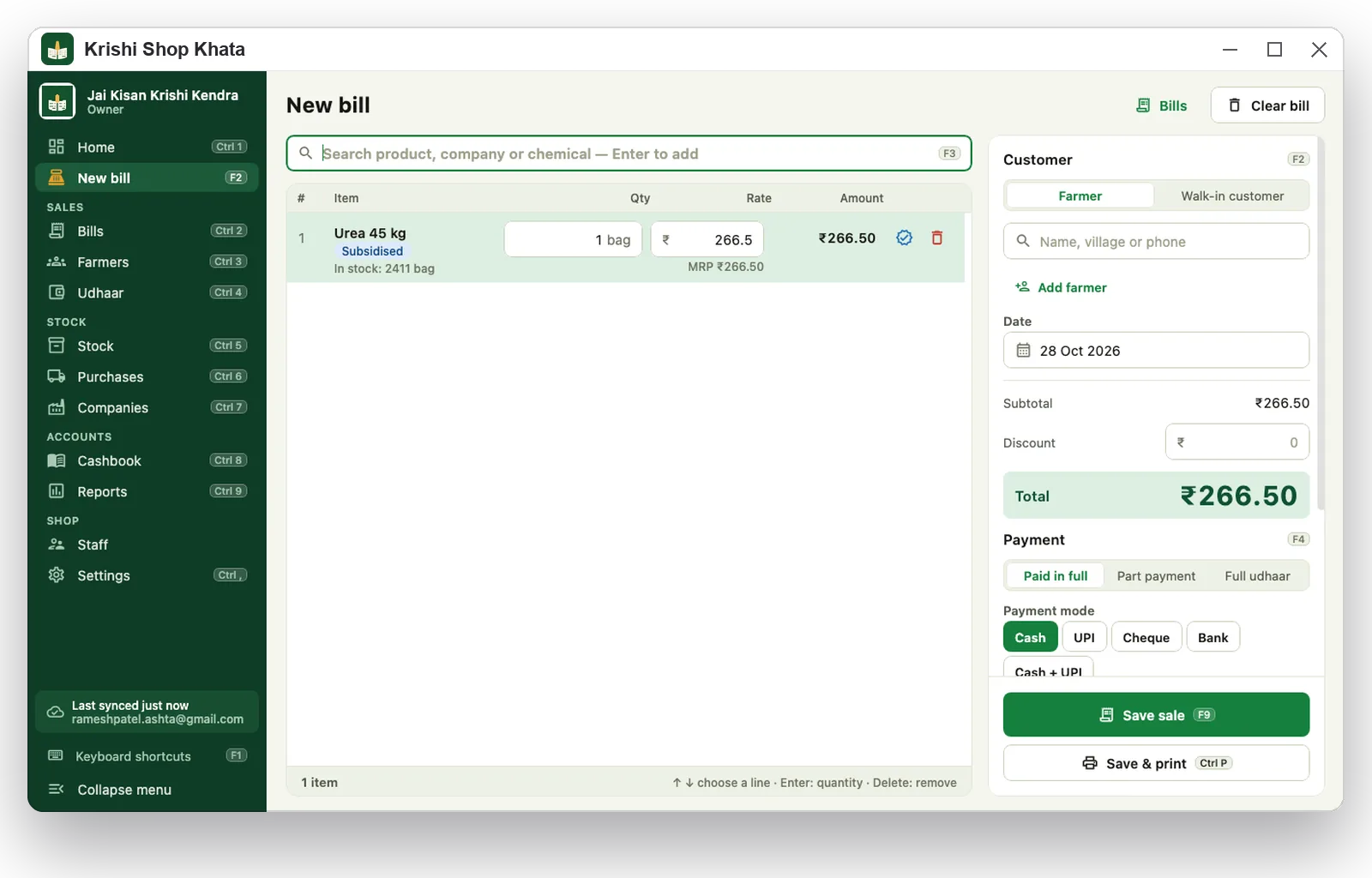
Type a product, pick the batch with the arrow keys, set the quantity, choose the farmer and the payment, and save — without touching the mouse. Type 5*urea to add five bags at once.

F2New bill (on a bill: choose the customer)
F3Search product
F4Payment
F9Save the bill · Ctrl + P save and print
Ctrl + 1 … 9Home, bills, farmers, udhaar, stock, purchases, companies, cashbook, reports
F1All keyboard shortcuts
New bill with urea and DAP lines in Krishi Shop Khata for Windows
Udhaar and recovery

The whole khata on one screen

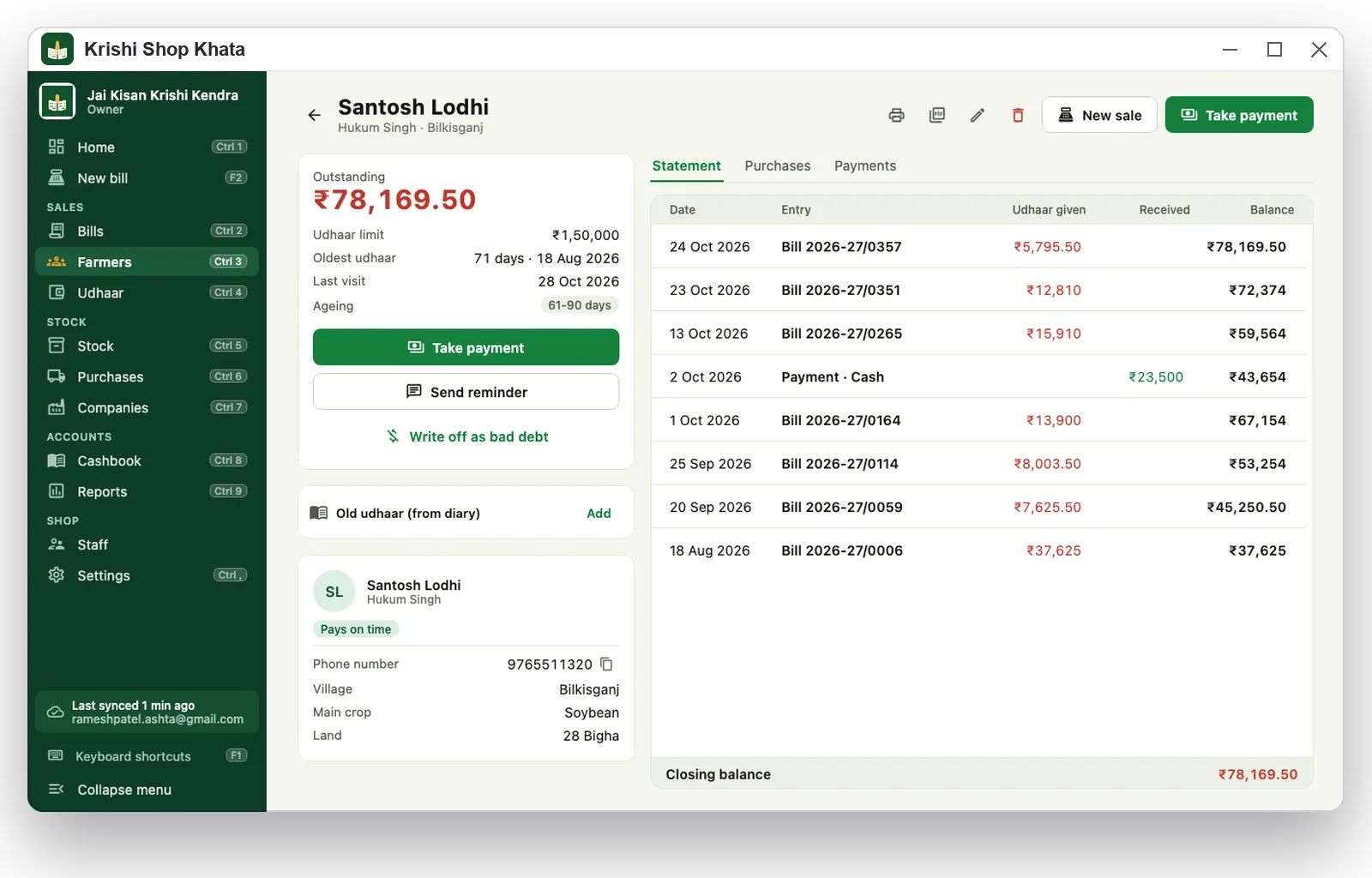
Every farmer's balance with ageing, over-limit warnings, payments and the full statement. Take a payment, send a reminder through WhatsApp on the computer, print a statement or write off bad debt.

  • Recovery list and village-wise outstanding
  • Old udhaar from the paper diary, with the date it started
  • Search every list with Ctrl+F
Udhaar khata with ageing buckets in Krishi Shop Khata for Windows
Printing

Six bill designs, any printer

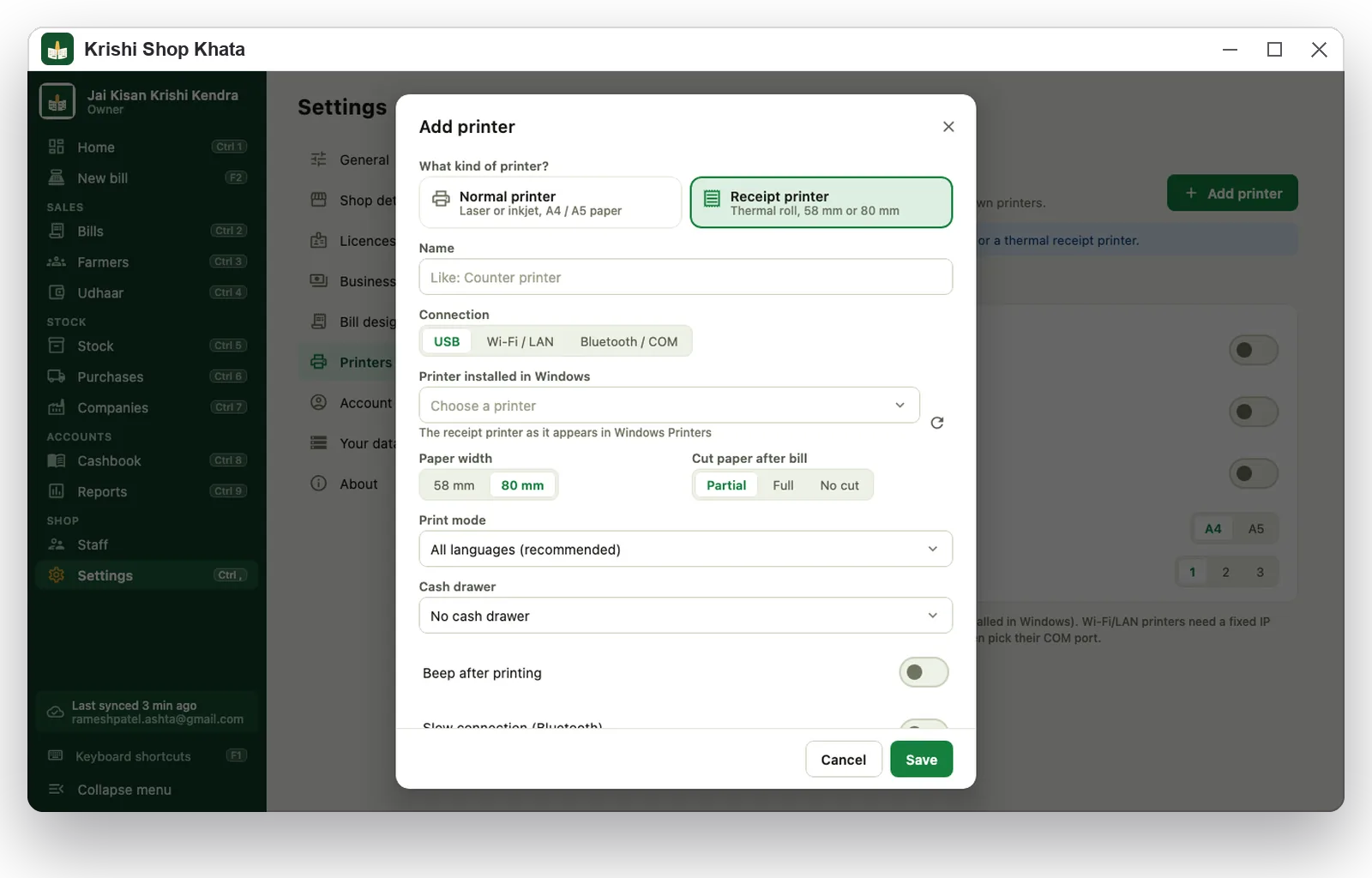
Bills print on A4 and A5 laser and inkjet printers and on 58 mm and 80 mm thermal receipt printers on USB, Wi-Fi/LAN or Bluetooth. Hindi, Marathi, Tamil, Malayalam and every other language print correctly.

  • Pick a printer once; Ctrl+P saves and prints straight to it
  • Bill design, colour and licence numbers are shared by the whole shop
  • Save as PDF or picture for WhatsApp
Adding a thermal receipt printer in Krishi Shop Khata for Windows
Staff and roles

Staff with roles

The owner adds staff by Gmail. Managers handle sales, payments, purchases and stock; counter staff handle sales, payments and farmers. Staff cannot delete entries, and counter staff never see purchase rates or margins. The owner sees who did what in the activity log.

Reports and accounts

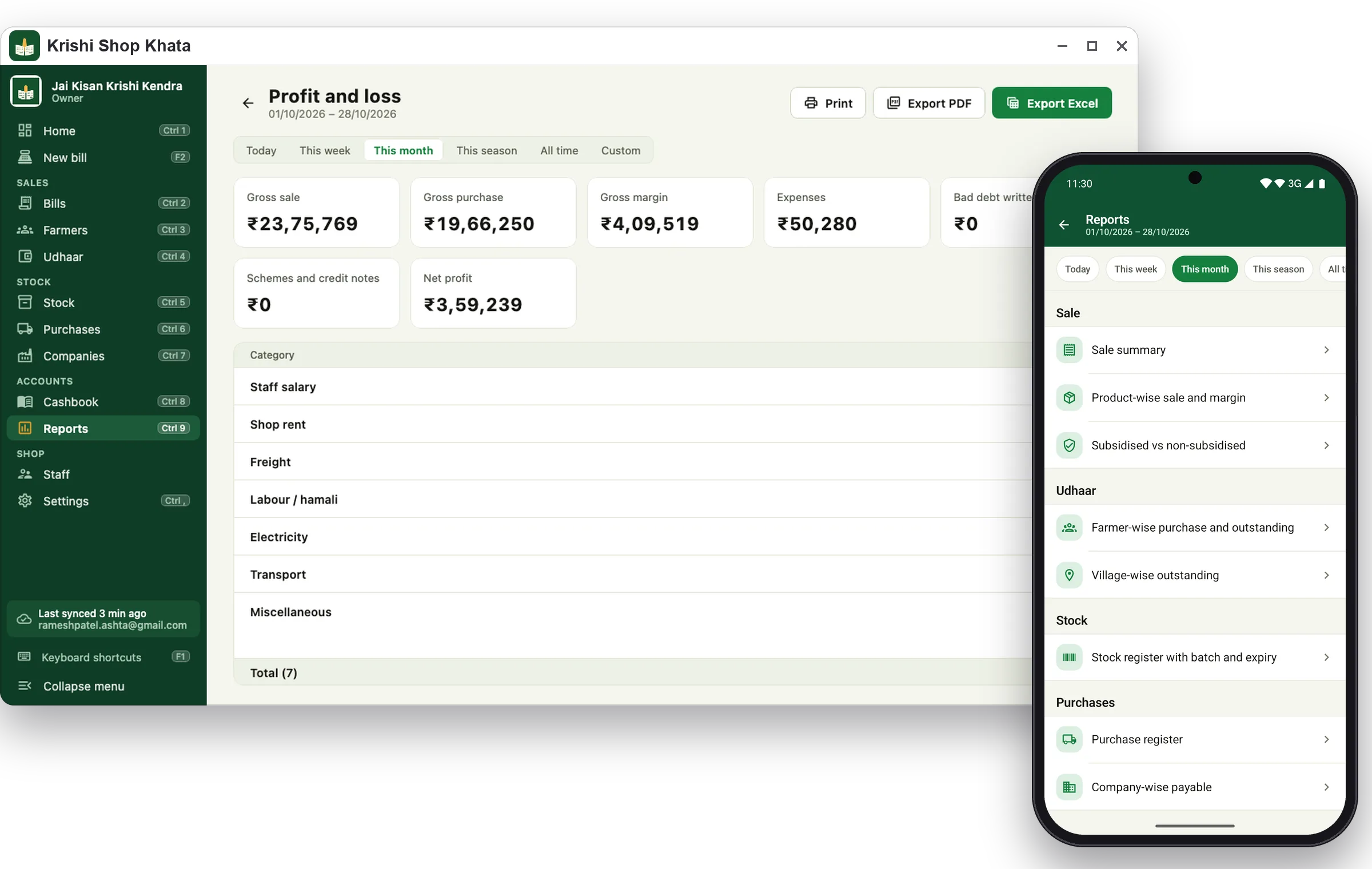
Cashbook and day close, PoS check, profit and loss, season comparison and 11 reports as Excel or PDF for your accountant.

Reports in Krishi Shop Khata for Windows and Android
Languages

11 languages, light and dark

Hindi, English, Bengali, Marathi, Gujarati, Punjabi, Telugu, Kannada, Tamil, Odia and Malayalam. Light, dark, or match Windows.

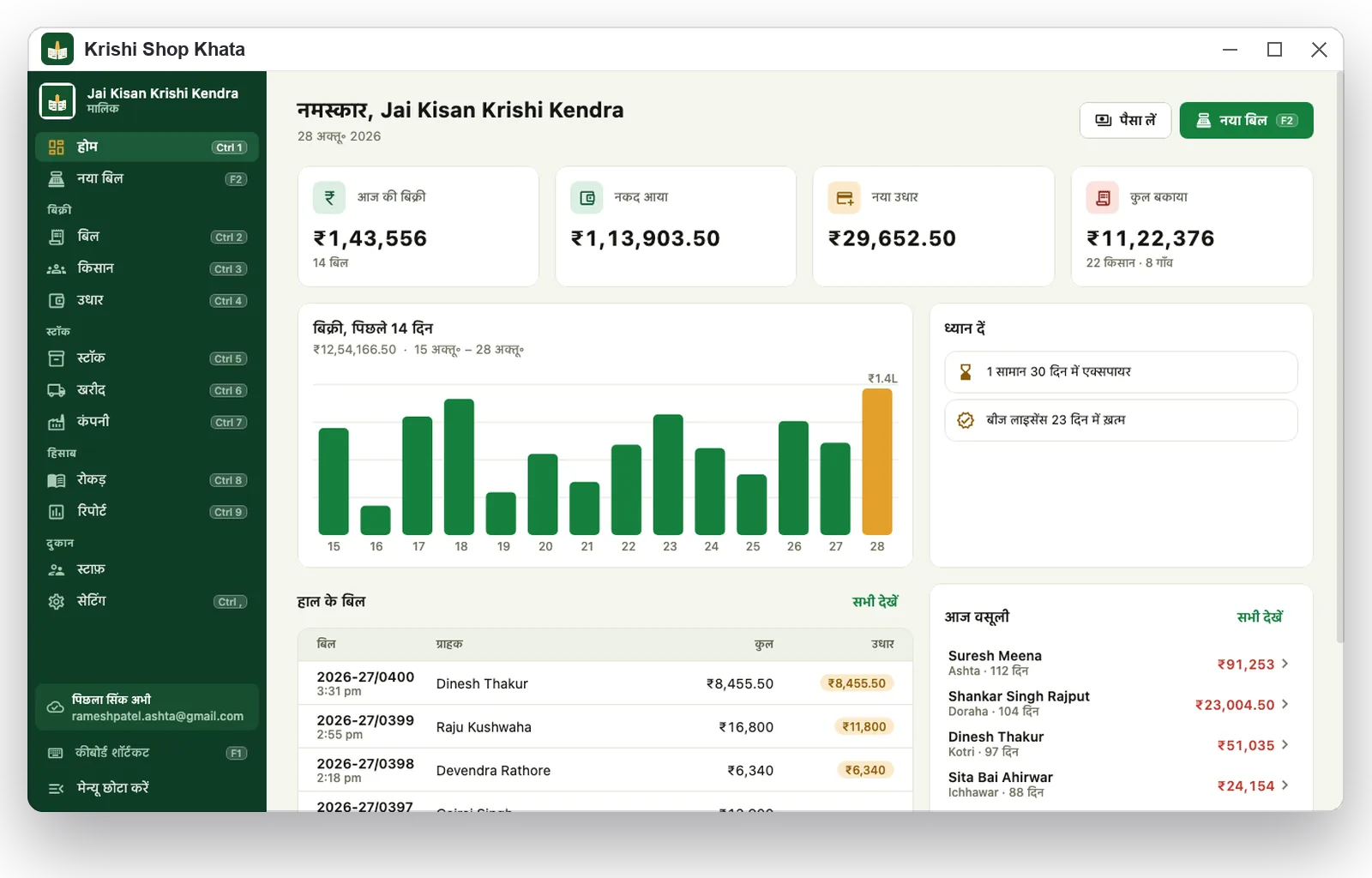
Krishi Shop Khata for Windows home screen in Hindi

System requirements and sign-in

  • Windows 10 (version 1809 or later) or Windows 11, 64-bit, 4 GB RAM
  • Install from the Microsoft Store; updates arrive automatically
  • Account the Gmail of the shop owner, or a staff Gmail the owner added; the shop needs the online plan, started in the Android app (a new shop can also be started from the computer with the 14-day free trial)
  • Internet to sync; bills made while offline are sent when you reconnect
  • Printers any printer installed in Windows, plus receipt printers on the network or a Bluetooth COM port

Close the paper udhaar diary today

The offline plan is ₹49 a month (₹399 a year): the full Android app, working without internet. Move to the online plan when your staff or the counter PC should share the same khata — the first 14 days are free.